

Configurar el plugin mediante la página de Ajustes, variables de entorno, wp-config y hooks
Hay varias formas de configurar las opciones del plugin.
La página de Ajustes
La página de Ajustes permite configurar el plugin en el administrador de WordPress.
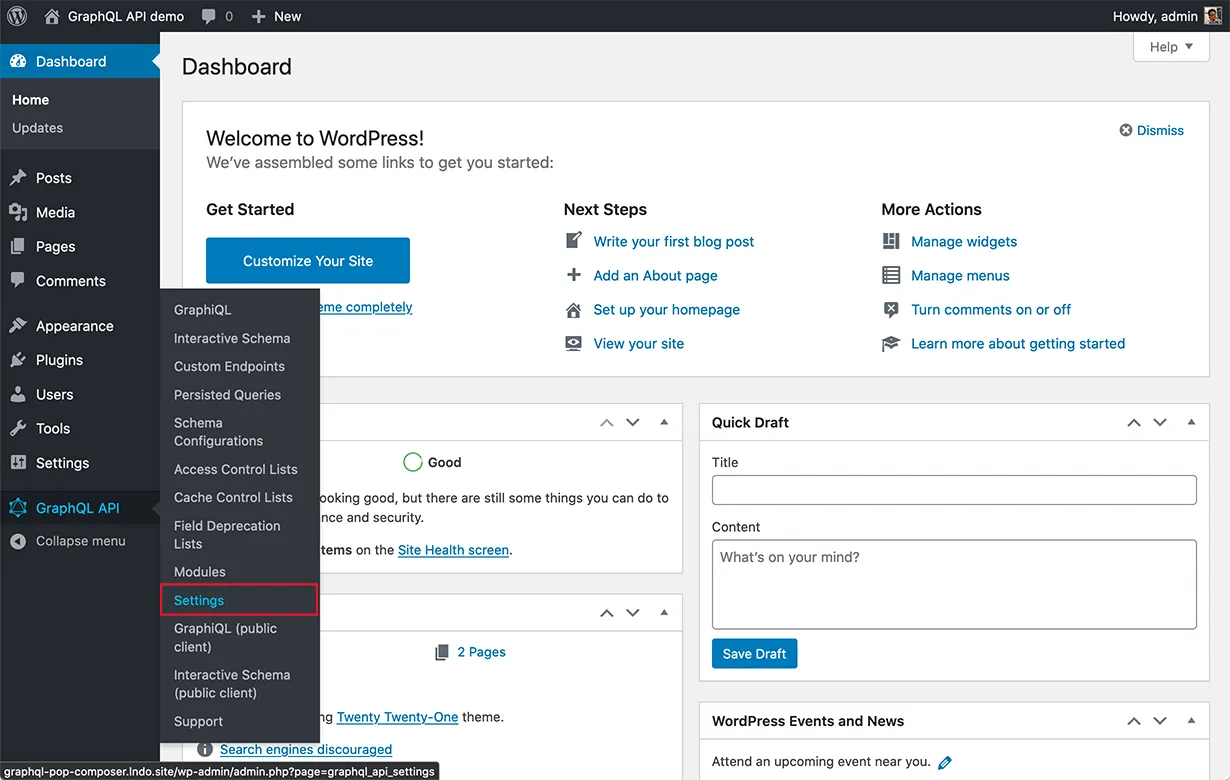
Para abrirla, haz clic en el enlace "Settings" en el menú del plugin:
Los ajustes se organizan por pestañas, donde cada pestaña corresponde a un módulo:
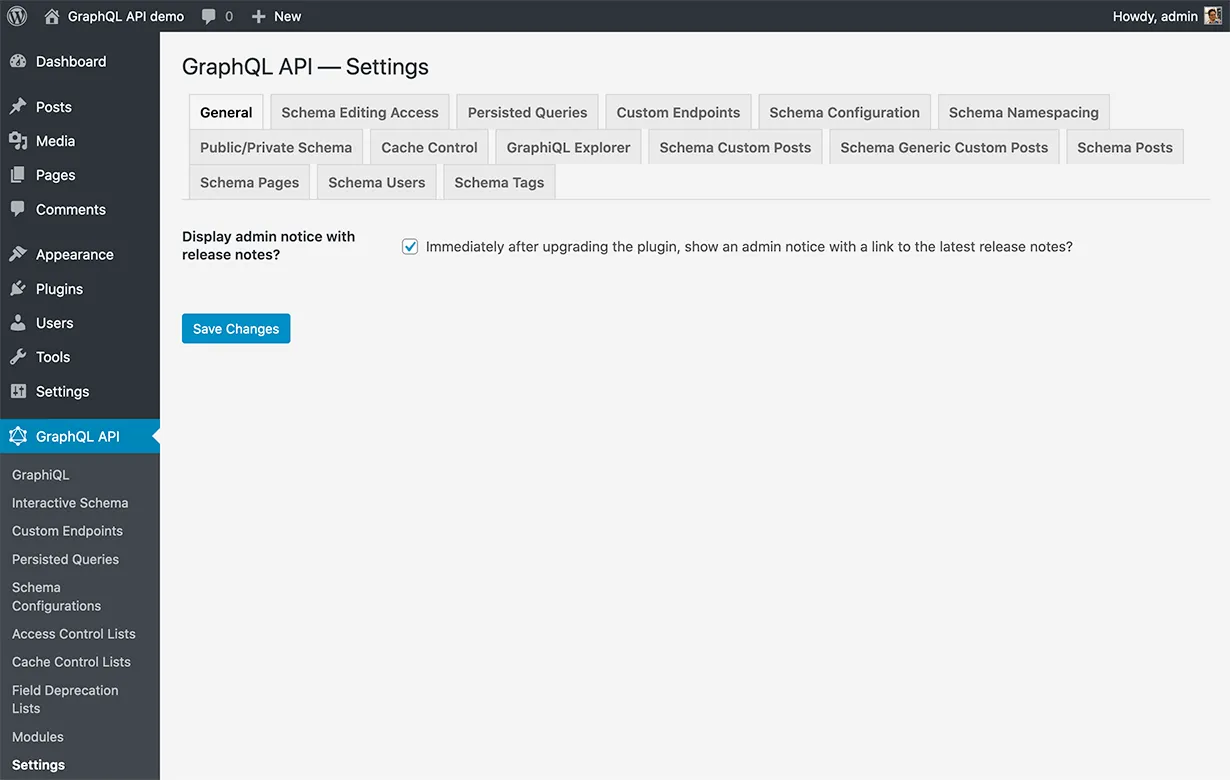
Tras actualizar una opción, haz clic en el botón Save Changes para almacenar y aplicar el nuevo valor.
Mediante variables de entorno y constantes de wp-config
Todas las opciones de la página de Ajustes también pueden establecerse mediante variables de entorno y constantes definidas en el archivo wp-config.php.
La prioridad para elegir el valor de la opción es la siguiente:
- Si existe la variable de entorno correspondiente, se utiliza
- Si existe la constante correspondiente definida en
wp-config.php, se utiliza - En caso contrario, se utiliza el valor de la página de Ajustes
Tras añadir o modificar una variable de entorno o constante de wp-config, la configuración del plugin debe regenerarse. Para ello, ve a la página de Ajustes y haz clic en Save Changes.
Variables de entorno
| Módulo | Opción | Variable de entorno |
|---|---|---|
| Schema Editing Access | Editing Access Scheme | EDITING_ACCESS_SCHEME |
| Single Endpoint | Endpoint Path | GRAPHQL_API_ENDPOINT |
| Custom Endpoints | Endpoint Path | CUSTOM_ENDPOINT_SLUG_BASE |
| Persisted Queries | Endpoint Path | PERSISTED_QUERY_SLUG_BASE |
| Graphiql For Single Endpoint | Client Path | GRAPHIQL_CLIENT_ENDPOINT |
| Interactive Schema For Single Endpoint | Client Path | VOYAGER_CLIENT_ENDPOINT |
| Public Private Schema | Mode | USE_PRIVATE_SCHEMA_MODE |
| Public Private Schema | Enable Granular | ENABLE_INDIVIDUAL_CONTROL_FOR_PUBLIC_PRIVATE_SCHEMA_MODE |
| Schema Namespacing | Use Namespacing | NAMESPACE_TYPES_AND_INTERFACES |
| Nested Mutations | Enable Nested Mutations | ENABLE_NESTED_MUTATIONS |
| Nested Mutations | Disable redundant root type fields | DISABLE_REDUNDANT_ROOT_TYPE_MUTATION_FIELDS |
| Cache Control | Default Max Age | DEFAULT_CACHE_CONTROL_MAX_AGE |
| Schema Posts | List Default Limit | POST_LIST_DEFAULT_LIMIT |
| Schema Posts | List Max Limit | POST_LIST_MAX_LIMIT |
| Schema Posts | Add Type To Custom Post Union Type | ADD_POST_TYPE_TO_CUSTOMPOST_UNION_TYPES |
| Schema Users | List Default Limit | USER_LIST_DEFAULT_LIMIT |
| Schema Users | List Max Limit | USER_LIST_MAX_LIMIT |
| Schema Tags | List Default Limit | TAG_LIST_DEFAULT_LIMIT |
| Schema Tags | List Max Limit | TAG_LIST_MAX_LIMIT |
| Schema Pages | List Default Limit | PAGE_LIST_DEFAULT_LIMIT |
| Schema Pages | List Max Limit | PAGE_LIST_MAX_LIMIT |
| Schema Pages | Add Type To Custom Post Union Type | ADD_PAGE_TYPE_TO_CUSTOMPOST_UNION_TYPES |
| Schema Custom Posts | List Default Limit | CUSTOMPOST_LIST_DEFAULT_LIMIT |
| Schema Custom Posts | List Max Limit | CUSTOMPOST_LIST_MAX_LIMIT |
| Schema Custom Posts | Use Single Type Instead Of Union Type | USE_SINGLE_TYPE_INSTEAD_OF_CUSTOMPOST_UNION_TYPE |
Constantes de wp-config
El nombre de la constante en el archivo wp-config.php es el mismo que el de la variable de entorno, anteponiéndole GATOGRAPHQL_.
Por ejemplo, la variable de entorno EDITING_ACCESS_SCHEME debe definirse como GATOGRAPHQL_EDITING_ACCESS_SCHEME en wp-config.php.
Mediante hooks
Podemos sobrescribir el valor de una opción a través de un hook.
Cada opción dispara su propio hook:
use PoP\ComponentModel\ComponentConfiguration\ComponentConfigurationHelpers;
$hookName = ComponentConfigurationHelpers::getHookName(
$componentConfigurationClass,
$envVariable
);
add_filter($hookName, 'myFunctionToOverrideSettingsValue', PHP_INT_MAX);Para obtener el nombre del hook, debemos proporcionar:
$componentConfigurationClass: La claseComponentConfigurationdel paquete donde se define la opción$envVariable: El nombre de la variable de entorno a establecer
Consulta un ejemplo sobre cómo definir un hook.