

Advanced Custom Fields (ACF)
Usando los campos meta, junto con las características proporcionadas por las extensiones PRO, podemos obtener y mutar campos personalizados del plugin Advanced Custom Fields (ACF).
Aquí tienes consultas que muestran cómo obtener y mutar campos personalizados, para todos los tipos de campo soportados por ACF:
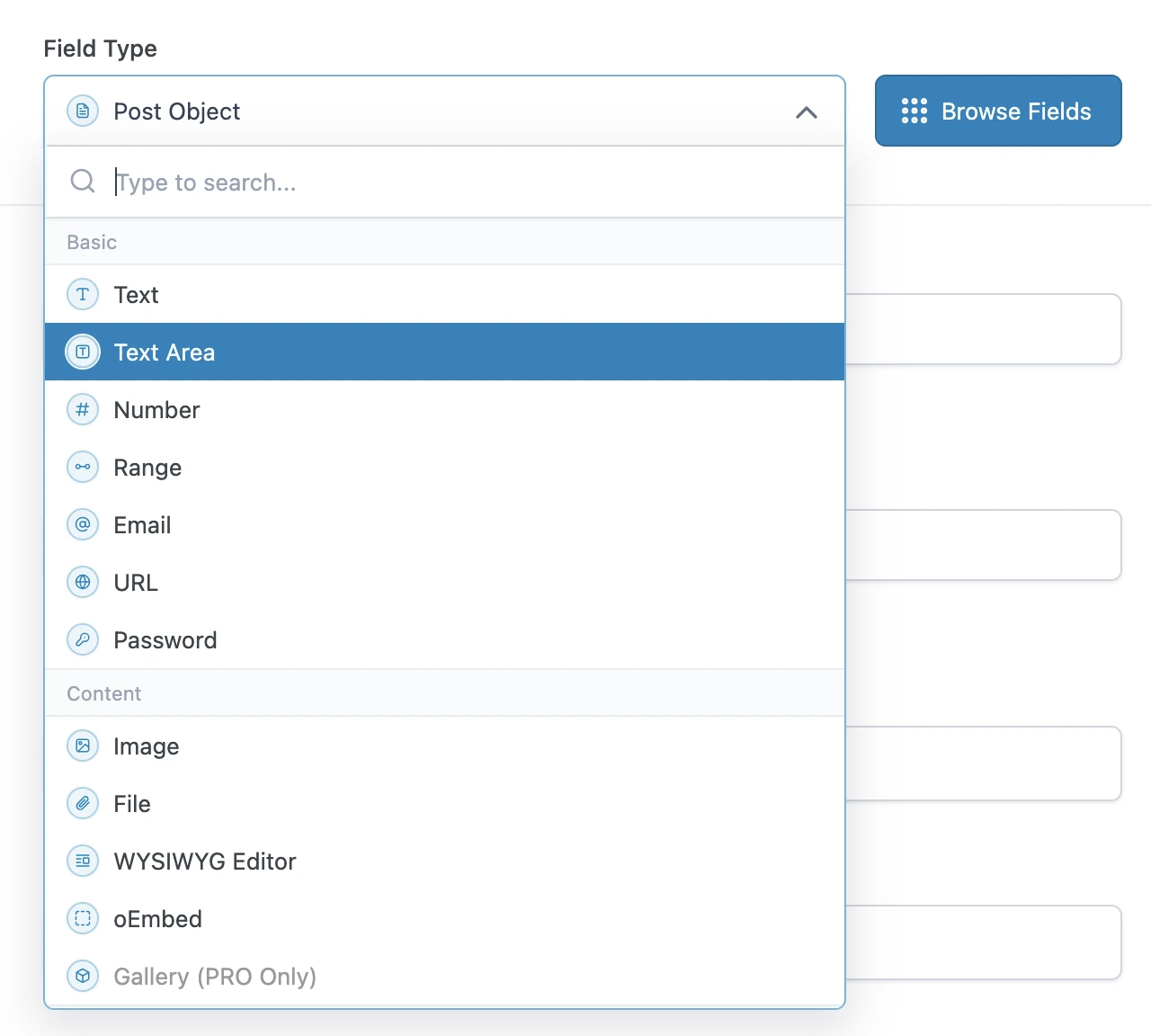
Consultar tipos de campo básicos
Los tipos de campo básicos de ACF se pueden consultar directamente, usando el campo metaValue:
query GetPost {
post(by: { id: 1 }) {
text: metaValue(key: "text_field")
textarea: metaValue(key: "textarea_field")
number: metaValue(key: "number_field")
range: metaValue(key: "range_field")
email: metaValue(key: "email_field")
url: metaValue(key: "url_field")
password: metaValue(key: "password_field")
}
}Consultar tipos de campo de contenido
Si el campo personalizado es una relación (por ejemplo: una imagen o un archivo), podemos exportar los IDs desde los campos meta, e inmediatamente después consultar esas entidades (de tipo Media) en una consulta posterior.
En caso contrario, es un tipo de campo simple, y podemos consultarlo directamente usando metaValue:
query GetPostDataAndExportRelationships {
post(by: { id: 1 }) {
# Image field type
imageId: metaValue(key: "image_field")
@export(as: "imageId")
# File field type
fileId: metaValue(key: "file_field")
@export(as: "fileId")
# WYSIWYG editor field type
wysiwyg_editor: metaValue(key: "wysiwyg_editor_field")
# Oembed field type
oembed: metaValue(key: "oembed_field")
}
}
query QueryPostRelationships
@depends(on: "GetPostDataAndExportRelationships")
{
# Query the image
relationshipImage: mediaItem(by: { id: $imageId }) {
id
src
}
# Query the file
relationshipFile: mediaItem(by: { id: $fileId }) {
id
src
}
}Consultar tipos de campo de elección
Los tipos de campo de elección se pueden consultar como un tipo de campo simple, usando metaValue.
ACF almacena arrays de valores en una sola entrada, codificada como una cadena JSON, y por ello debemos usar el campo metaValue (en lugar de metaValues) para recuperar el array.
Para valores booleanos, usamos el campo _equals para convertirlo de String a Boolean:
query GetPost {
post(by: { id: 1 }) {
# Select field type - Whether a single or multiple values, we always use `metaValue`
select: metaValue(key: "select_field")
multiSelect: metaValue(key: "multi_select_field")
# Checkbox field type
checkbox: metaValue(key: "checkbox_field")
# Radio button field type
radioButton: metaValue(key: "radio_button_field")
# Button group field type
buttonGroup: metaValue(key: "button_group_field")
# True/False field type
trueFalseAsString: metaValue(key: "true_false_field")
trueFalse: _equals(value1: $__trueFalseAsString, value2: "1")
}
}Consultar tipos de campo relacionales
Si el campo personalizado es una relación (por ejemplo: un post, un usuario, una taxonomía, etc.), podemos exportar los IDs desde los campos meta, e inmediatamente después consultar esas entidades (de tipo Post, User, Taxonomy, etc.) en una consulta posterior.
En caso contrario, es un tipo de campo simple, y podemos consultarlo directamente usando metaValue:
query GetPostDataAndExportRelationships {
post(by: { id: 1 }) {
link: metaValue(key: "link_field")
# Post Object field type
post_object: metaValue(key: "post_object_field")
@export(as: "post_object_id")
# Multiple Post Object field type
post_objects: metaValue(key: "post_objects_field")
@export(as: "post_object_ids")
# Page Link field type
page_link: metaValue(key: "page_link_field")
@export(as: "page_link_id")
# Multiple Page Link field type
page_links: metaValue(key: "page_links_field")
@export(as: "page_link_ids")
# Relationship field type
relationships: metaValue(key: "relationship_field")
@export(as: "relationship_ids")
# Taxonomy field type
categoryTaxonomy: metaValue(key: "category_taxonomy_field")
@export(as: "category_taxonomy_ids")
tagTaxonomy: metaValue(key: "tag_taxonomy_field")
@export(as: "tag_taxonomy_ids")
# User field type
user: metaValue(key: "user_field")
@export(as: "user_id")
# Multiple User field type
users: metaValue(key: "users_field")
@export(as: "user_ids")
}
}
query QueryPostRelationships
@depends(on: "GetPostDataAndExportRelationships")
{
# Query the post
postObject: customPost(by: { id: $post_object_id }, status: any) {
id
title
}
# Query the list of posts
postObjects: customPosts(filter: { ids: $post_object_ids, status: any }, pagination: { limit: -1 }) {
id
title
}
# Query the page
pageLink: page(by: { id: $page_link_id }, status: any) {
id
title
}
# Query the list of pages
pageLinks: pages(filter: { ids: $page_link_ids, status: any }, pagination: { limit: -1 }) {
id
title
}
# Query the relationship post
relationships: customPosts(filter: { ids: $relationship_ids, status: any }, pagination: { limit: -1 }) {
id
title
}
# Query the list of categories
categoryTaxonomy: categories(filter: { ids: $category_taxonomy_ids }, taxonomy: "category") {
id
name
}
# Query the list of tags
tagTaxonomy: tags(filter: { ids: $tag_taxonomy_ids }, taxonomy: "post_tag") {
id
name
}
# Query the user
user: user(by: { id: $user_id }) {
id
name
}
# Query the list of users
users: users(filter: { ids: $user_ids }, pagination: { limit: -1 }) {
id
name
}
}También podemos consultar todas las relaciones para varios posts, obteniendo cada una de ellas solo una vez (incluso cuando están compartidas entre posts):
query GetPostDataAndExportRelationships
@configureWarningsOnExportingDuplicateVariable(enabled: false)
{
# Multiple posts
posts {
# Post Object field type
post_object: metaValue(key: "post_object_field")
@export(
as: "post_object_id_list",
type: LIST
)
# Multiple Post Object field type
post_objects: metaValue(key: "post_objects_field")
@export(
as: "post_object_ids_list"
type: LIST
)
}
}
query TransformRelationships
@depends(on: "GetPostDataAndExportRelationships")
{
flattenedPostObjectIdsList: _arrayFlatten(array: $post_object_ids_list)
@arrayUnique
@export(as: "post_object_ids_list")
}
query QueryPostRelationships
@depends(on: "TransformRelationships")
{
# Query the post
postObjectList: customPosts(filter: { ids: $post_object_id_list, status: any }, pagination: { limit: -1 }) {
id
title
}
# Query the list of posts
postObjectsList: customPosts(filter: { ids: $post_object_ids_list, status: any }, pagination: { limit: -1 }) {
id
title
}
}Consultar tipos de campo de fecha
Como una fecha se almacena como una cadena con formato "YMD" (por ejemplo: "20240320"), debemos analizarla en un timestamp y luego inyectarla en la función _date.
query GetPost {
post(by: { id: 1 }) {
# Date Picker field
dateAsString: metaValue(key: "date_picker_field")
dateYear: _strSubstr(string: $__dateAsString, offset: 0, length: 4)
dateMonth: _strSubstr(string: $__dateAsString, offset: 4, length: 2)
dateDay: _strSubstr(string: $__dateAsString, offset: 6, length: 2)
dateAsTimestamp: _makeTime(year: $__dateYear, month: $__dateMonth, day: $__dateDay, hour: 0, minute: 0, second: 0)
date: _date(format: "Y-m-d", timestamp: $__dateAsTimestamp)
# Date Time Picker field
dateTime: metaValue(key: "date_time_picker_field")
# Time Picker field
timeAsString: metaValue(key: "time_picker_field")
timeHours: _strSubstr(string: $__timeAsString, offset: 0, length: 2)
timeMinutes: _strSubstr(string: $__timeAsString, offset: 3, length: 2)
timeSeconds: _strSubstr(string: $__timeAsString, offset: 6, length: 2)
googleMap: metaValue(key: "google_map_field")
colorPicker: metaValue(key: "color_picker_field")
}
}Mutar cualquier tipo de campo
Usamos campos meta también para mutar datos de campos personalizados de ACF (añadir, actualizar y borrar entradas).
Esta consulta actualiza varios campos personalizados de ACF pasando un único objeto JSON a la mutación updatePost.
Nota que el JSON contiene arrays de valores, incluso cuando el elemento es un valor único.
mutation UpdatePost($postId: ID!) {
updatePost(
input: {
id: $postId
meta: {
text_field: ["New text value"],
textarea_field: ["New textarea value"],
select_field: ["New select value"],
multi_select_field: ["Choice 1", "Choice 2"],
number_field: [42],
date_picker_field: ["20240320"],
}
}
) {
status
errors {
__typename
...on ErrorPayload {
message
}
}
post {
id
text: metaValue(key: "text_field")
textarea: metaValue(key: "textarea_field")
select: metaValue(key: "select_field")
multiSelect: metaValues(key: "multi_select_field")
number: metaValue(key: "number_field")
date: metaValue(key: "date_picker_field")
}
}
}Esta consulta actualiza campos personalizados de ACF en bloque, usando la mutación updateCustomPostMeta:
mutation UpdatePost($postId: ID!) {
updateCustomPostMetas(inputs: [
{ id: $postId, key: "text_field", value: "New text value" },
{ id: $postId, key: "textarea_field", value: "New textarea value" },
{ id: $postId, key: "select_field", value: "New select value" },
{ id: $postId, key: "multi_select_field", value: ["Choice 1", "Choice 2"] },
{ id: $postId, key: "number_field", value: 42 },
{ id: $postId, key: "date_picker_field", value: "20240320" },
]) {
status
errors {
__typename
...on ErrorPayload {
message
}
}
customPost {
__typename
id
text: metaValue(key: "text_field")
textarea: metaValue(key: "textarea_field")
select: metaValue(key: "select_field")
multiSelect: metaValues(key: "multi_select_field")
number: metaValue(key: "number_field")
date: metaValue(key: "date_picker_field")
}
}
}